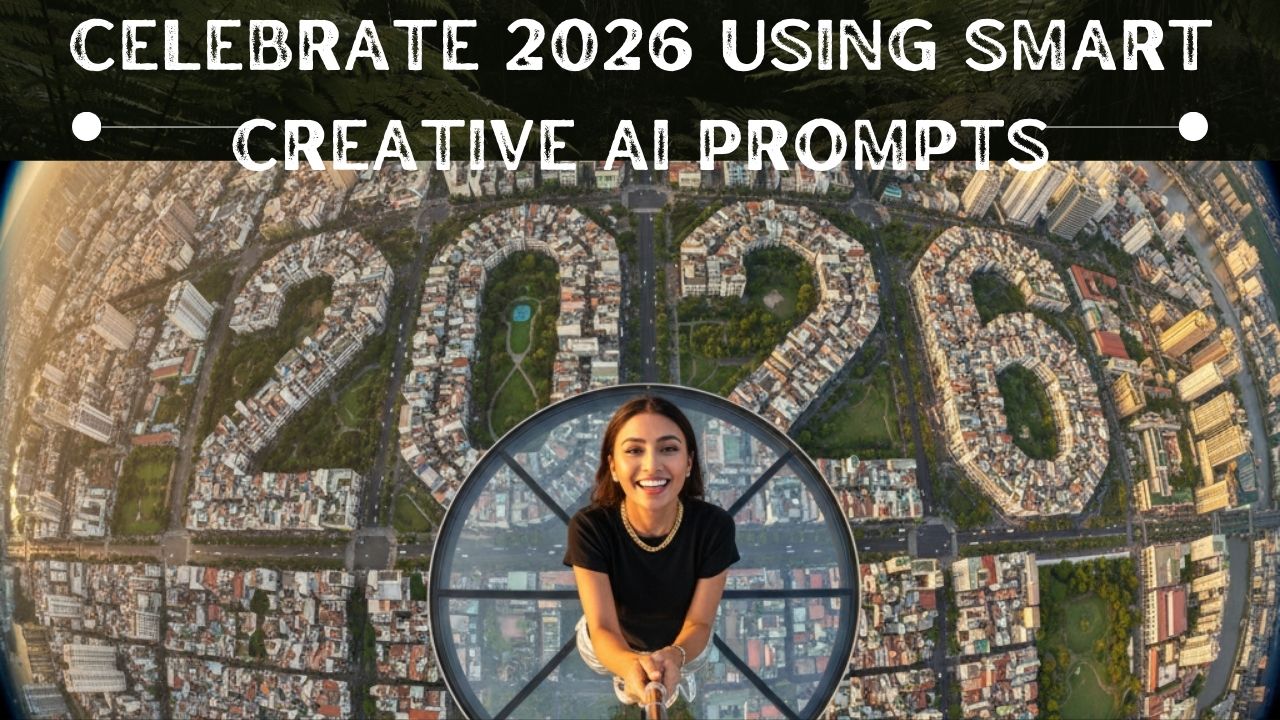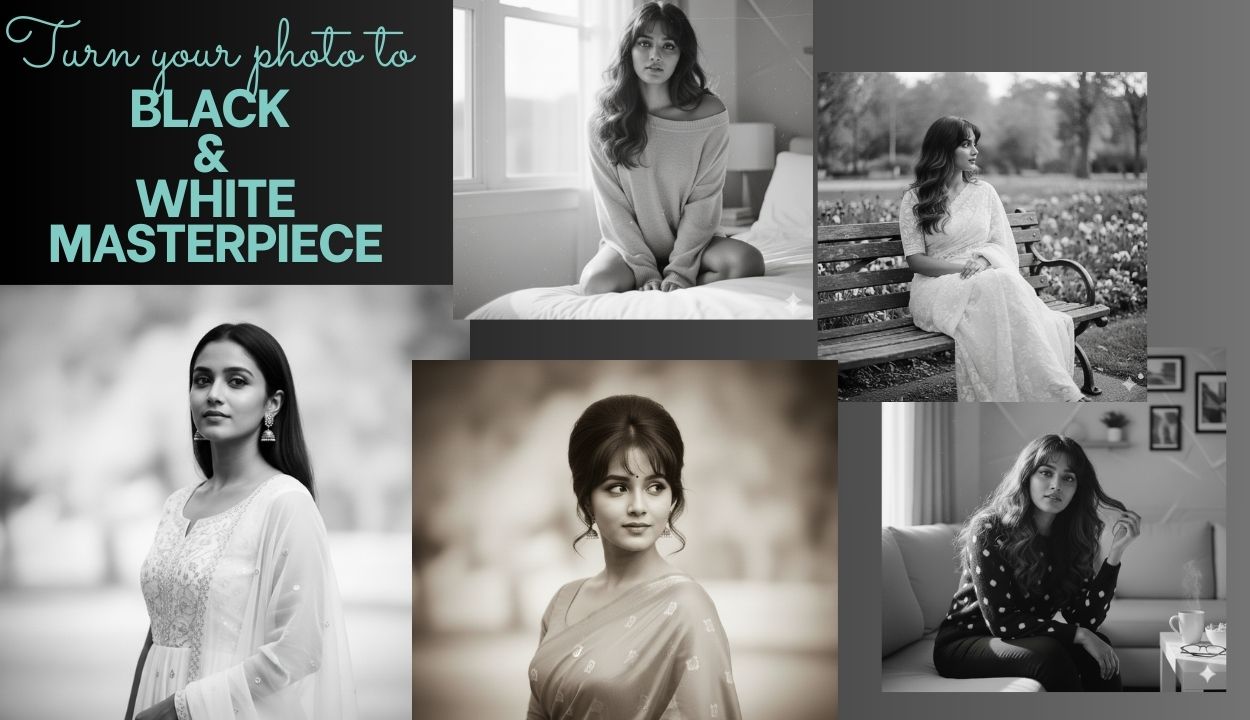
Discover the latest Gemini AI photo editing prompts for girls to turn any picture into a stunning black & white masterpiece.
Black and white pictures always stay cool. They bring mood, class, maybe even a film-like vibe to basic shots.
The best part is, Google’s Gemini AI makes it dead easy now. No pricey tools or editing skills required. Now you can turn your selfie, snap from vacation, or clothes pic into sharp monochrome eye-catchers just by typing what you want.
In this piece, you’ll discover –
Why more girls are switching to Gemini AI for edits lately. It turns out that it is quick, smooth, plus fun to do. It is not stuck on trends or clunky steps, just works when you need clean cuts without any hassle. Copy trending B&W prompts, learn quick editing steps, and elevate your Instagram aesthetic instantly using Gemini AI.
Why Girls Are Loving Gemini AI for Black & White Edits and creating Gemini AI Photo Editing Prompts
Girls care about how their Instagram looks like. It should be neat, cool, forever fresh, and black and white portraits nails it.
- It gives pro-level finish without any editing knowledge
- It gives hyper-realistic results for smooth skin, sharp eyes and perfect lighting
- Quick revisions are possible, just type if you want something different.
- Works on any type of image, it may be portraits, fashion, travel, and more
And since B&W focuses more on feel than color, it’s perfect for boosting confidence and spotlighting your expressions.
How to Use Gemini AI Photo Editing Prompts to Transform Your Photo into B&W (Step-by-Step)
Even beginners can do this easily:
Step 1 — Open Gemini …..Click here
Step 2 — Upload Your Photo
Step 3 — Write Your Prompt and describe the exact vibe you want (cinematic, soft, retro, etc.)
Step 4 — Edit Until It’s Perfect. You can use commands like: “Increase shadow”, “Sharpen eyes”, “Add film grain” etc.
Step 5 — Save & Share
That’s it — zero Photoshop required!
For free designing you can visit : Click here
7 Trending Gemini AI Photo Editing Prompts for Black & White Photo Magic
1. Prompt 1
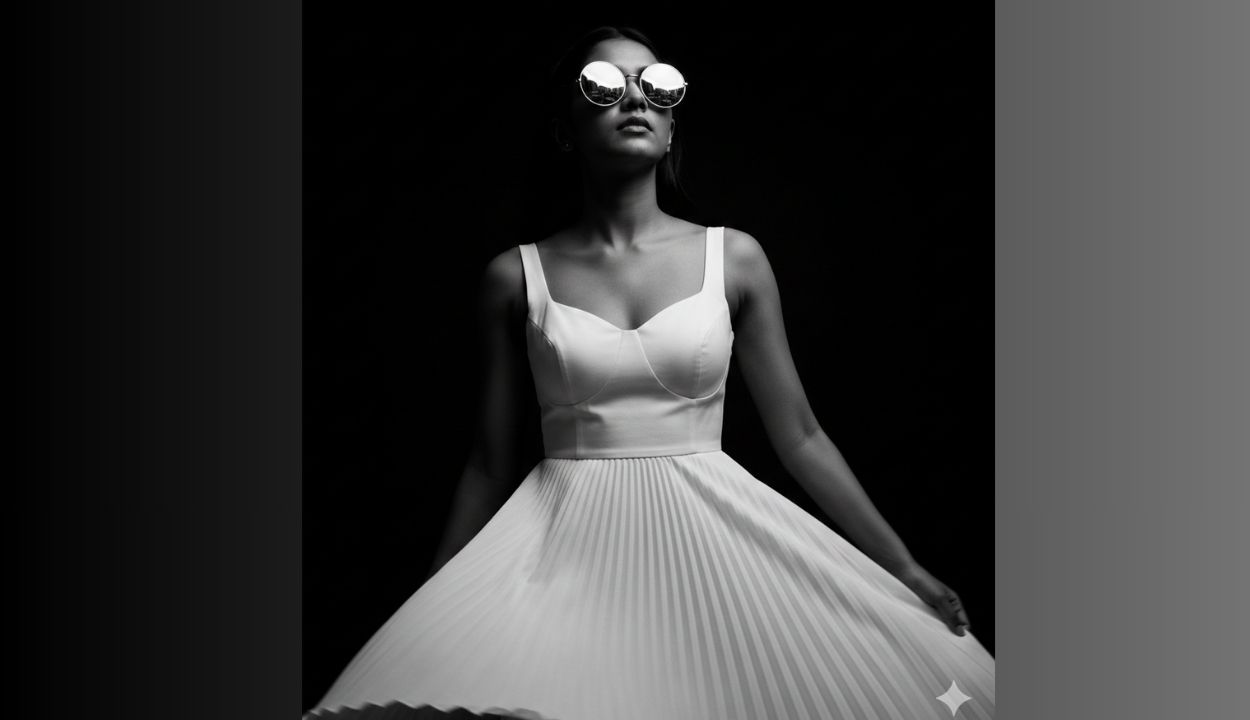
A dramatic and ultra-realistic black-and-white close-up with high-contrast cinematic side lighting, highlighting the contours of the face and casting deep shadows. The person is an beautiful Indian girl wearing white dress with a fitted bodice and flowing pleated A-line skirt round reflective sunglasses, gazing confidently upward into a dark void. The sunglasses reflect a city skyline. Skin texture remains natural and realistic. The atmosphere is mysterious with a minimalist black background. Details in 8K.
Photography Specs:
- Sony A1 with 50mm f/1.2 lens
- Aperture f/2 for refined depth
- Shutter speed 1/320s preserving skirt motion
- ISO 160 for warm golden hour tones
2. Prompt 2
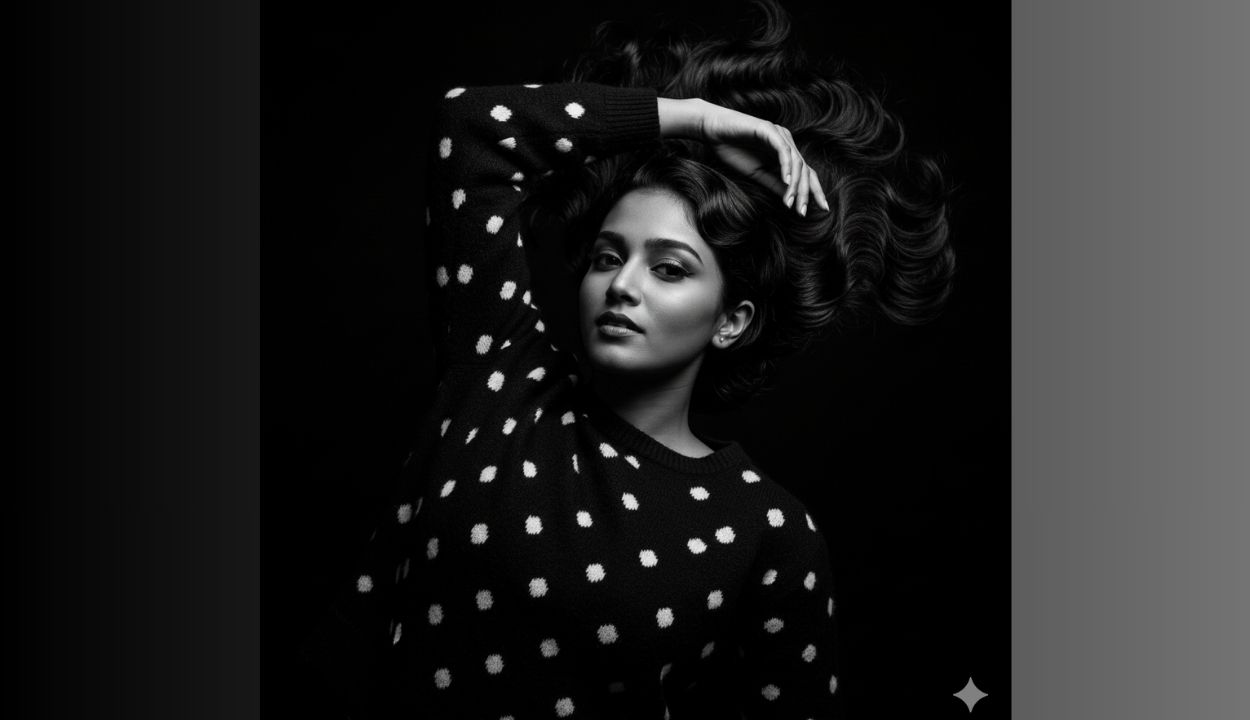
Without changing my features: A black-and-white portrait of an elegant woman lying down with one arm over her head, wearing a polka dot sweater. Her hair is short, sculpted black finger waves with smooth reflective texture and is spread out, her expression confident and expressive. Dramatic lighting and deep shadows evoke a vintage fashion editorial. Crisp definition with natural shine, maintains authenticity to the concept.”
Photography Specs:
- Canon R5 with 85mm f/1.2 lens
- Aperture f/1.4 for dramatic separation and strong bokeh
- Shutter speed 1/320s to hold hair motion
- ISO 320 to retain ambient neon glow
3. Prompt 3
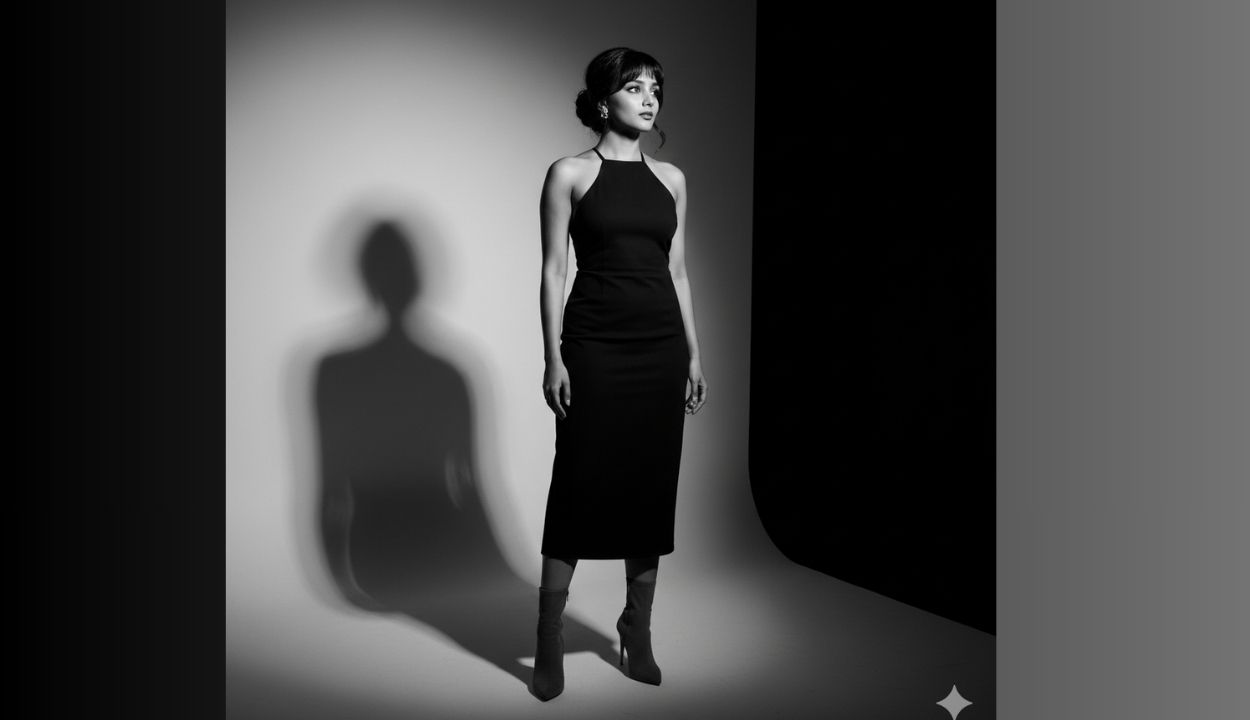
Create a high-resolution black and white portrait (preserve face) of a person in a black halter neck and small gold earrings, with a Korean bun hairstyle. High-heeled charcoal boots with sharp shaping. Colour palette is modern, sleek, and high contrast. She has hair with curtain bangs framing the eyes with controlled separation. Natural movement creating texture and depth. The person stands in a minimal studio setting, turned slightly to the side. Dramatic lighting forms bold geometric shadows. The mood is calm, introspective, and cinematic. High contrast, editorial style.
Photography Specs:
- Canon R5 with 85mm f/1.2 lens
- Aperture f/1.4 for dramatic separation and strong bokeh
- Shutter speed 1/320s to hold hair motion
- ISO 320 to retain ambient neon glow
4. Prompt 4
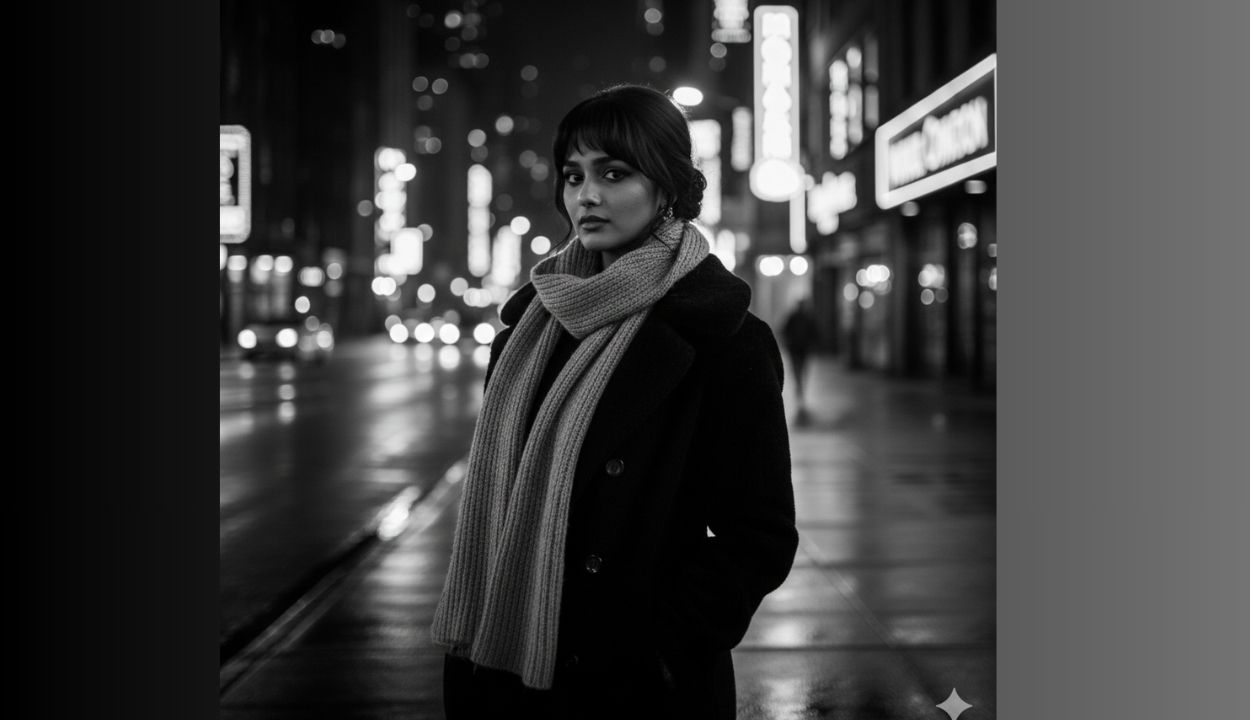
Edit the image to show an elegant woman in focus against a blurred urban backdrop (preserve face). She gazes at the camera with a mysterious expression, wearing an wearing a winter coat and woollen scarf, cool-toned cinematic colour grading, soft white ambient light — magical winter aesthetic.. The background glows with bokeh city lights and neon signs. Subtle rain reflections on wet pavement, dramatic rim lighting, high-contrast tones — edgy urban fashion style. Shot in cinematic black and white, shallow depth (f/1.4–2.0), professional street photography style.
Photography Specs:
- Canon R5 with 85mm f/1.2 lens
- Aperture f/1.4 for dramatic separation and strong bokeh
- Shutter speed 1/320s to hold hair motion
- ISO 320 to retain ambient neon glow
5. Prompt 5
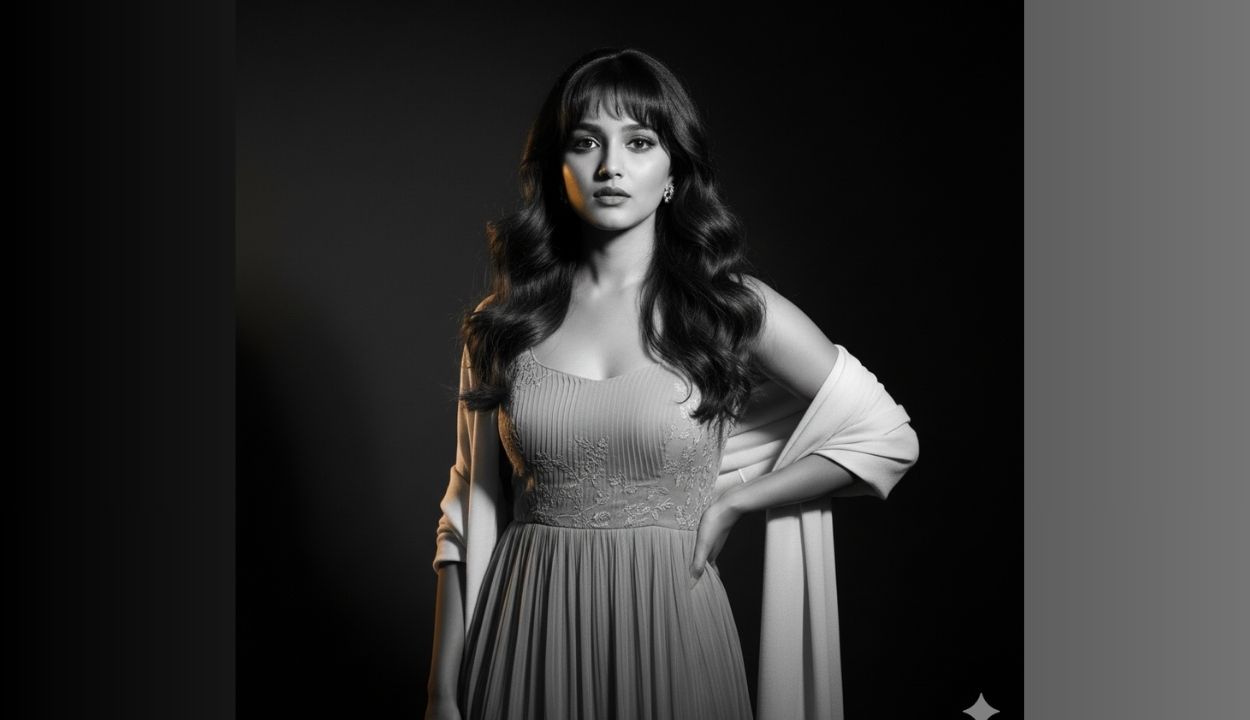
A captivating black and white portrait of a woman (preserve face) with dark, flowing hair, Loose soft waves with subtle movement. Curtain bangs frame her face. Hair catches warm light along the caramel highlights. She is looking directly at the viewer with a thoughtful expression. She rests her left hand on her waist while wearing Chiffon midi dress in muted blush with delicate pleated texture. Light embroidered detailing on the bodice. Soft cream shawl draped loosely. Minimalist gold ear studs. The lighting is soft and flattering, with a dark background. Preserve the same facial features.
Photography Specs:
- Sony A7R V with 85mm f/1.4 lens
- Aperture f/1.4 for deep bokeh layers
- Shutter 1/200s to hold ambient motion
- ISO 160 for clean pastel tones
6. Prompt 6
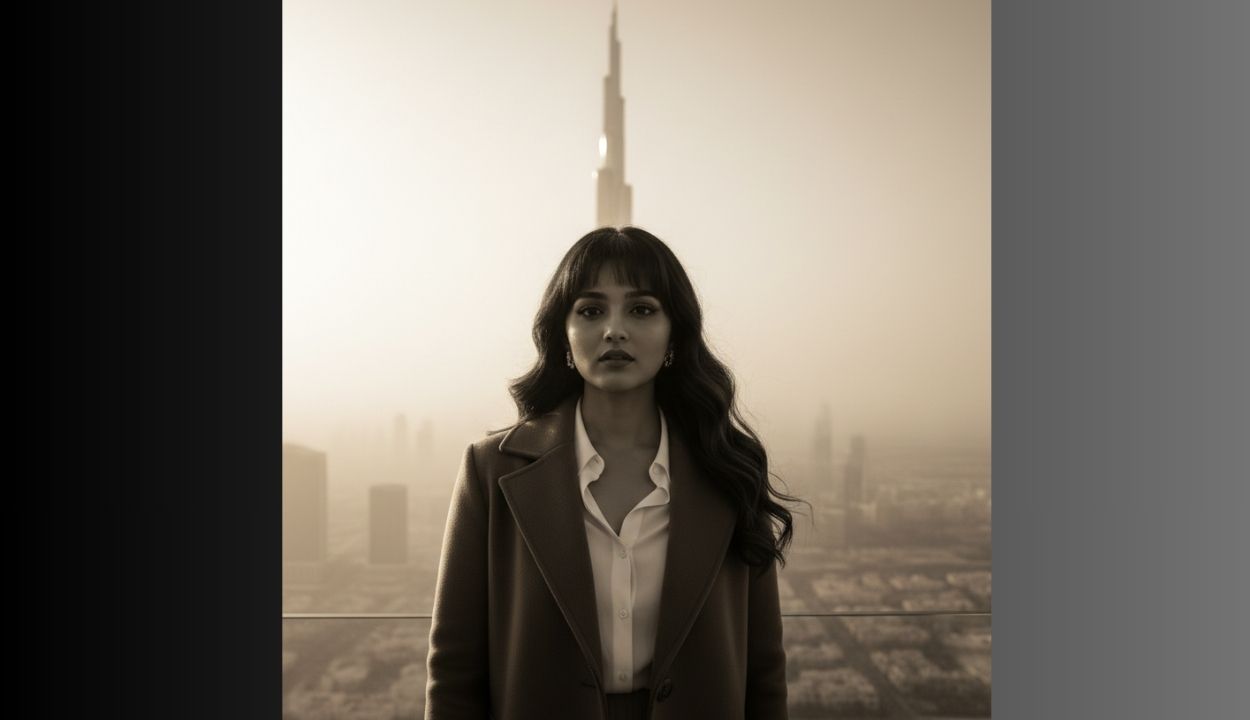
Create a hyper-realistic cinematic image in black and white of a person (preserve face) standing on Bhuj Khalifa. The person wears a white shirt and brown coat, illuminated by golden daylight with soft mist. The camera angle is wide and slightly low, making the person appear majestic. Shot in 16:9 ratio with dramatic contrast and film noir aesthetics.
Photography Specs:
- Sony A7R V with 85mm f/1.4 lens
- Aperture f/1.4 for deep bokeh layers
- Shutter 1/200s to hold ambient motion
- ISO 160 for clean pastel tones
7. Prompt 7
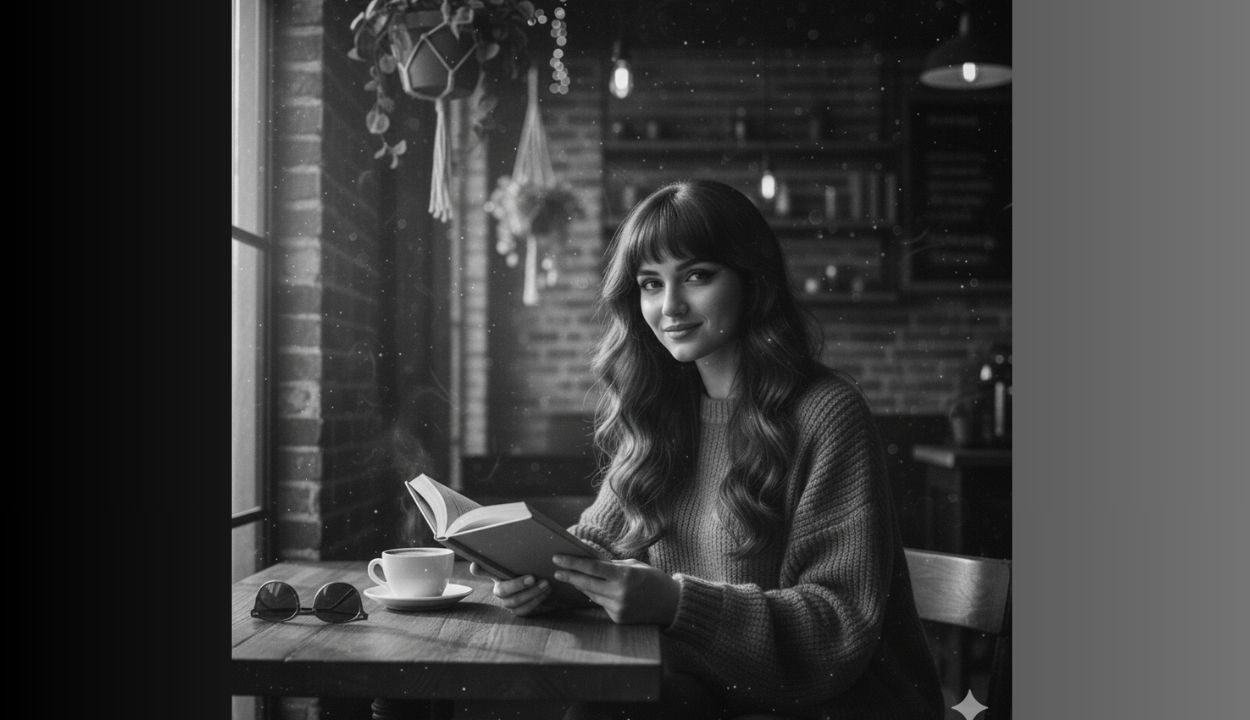
Create a hyper-realistic cinematic black and white portrait of a woman (preserve face) with long wavy brown hair, looking directly at the viewer with a gentle smile. She is wearing a cozy, loose-fitting, sweater. She is seated comfortably at a wooden table next to a large window in a warm, inviting coffee shop, holding an open book in her hands as if she just paused reading. A steaming cup of coffee is on the table beside her, along with a pair of sunglasses. The setting is a rustic yet modern coffee shop with exposed brick walls, hanging potted plants, and warm, dim ambient lighting from string lights and a few industrial-style fixtures in the background. Natural light streams in through the window from the left, creating a soft glow around her and gentle highlights on her hair and skin, with subtle dust motes visible in the sunbeams. The background softly blurred to emphasize her as the main subject. The overall aesthetic should be warm, cozy, and inviting.
Camera aspects:
Shot with a prime lens (50mm) at a wide aperture (f/1. for beautiful bokeh. Eye-level perspective.
Conclusion (Gemini AI Photo Editing Prompts)
Black and white photos never go out of style and with Gemini AI, it’s now easier, faster, and more creative than ever.
Drop your image → write a short prompt → grab the result → share it online.
The world sees a masterpiece, and only you know it took 10 seconds.
Give these ideas a go now – see how your social feed transform into a stylish monochrome gallery!
FAQs for Gemini AI Photo Editing Prompts
Q1. Is Gemini free for image editing?
It offers many free features some are advanced options which may require a subscription depending on the device.
Q2. Why use Gemini for black & white edits?
Because it understands your photo, not just pixels. It adjusts tone, depth and shadows intelligently, like a real photographer.r.
Q3. Can Gemini AI Photo Editing Prompts edit selfies and travel photos both?
YES! Anything with a subject works beautifully
Q4. Will Gemini change my face too much?
If you want to keep the same face you may ask it for in the prompt.
Q5. Can I re-edit the same picture multiple times?
Absolutely, refine until you get your desirable photo.
Q6. Can these Gemini AI Photo Editing Prompts be used for boys too?
Of course, just change the mood or maybe style as required in the prompt.
Q7. Do I need editing experience?
No. If you can type a sentence you can make Gemini AI Photo Editing Prompts very easily, subsequently you can edit like a pro.