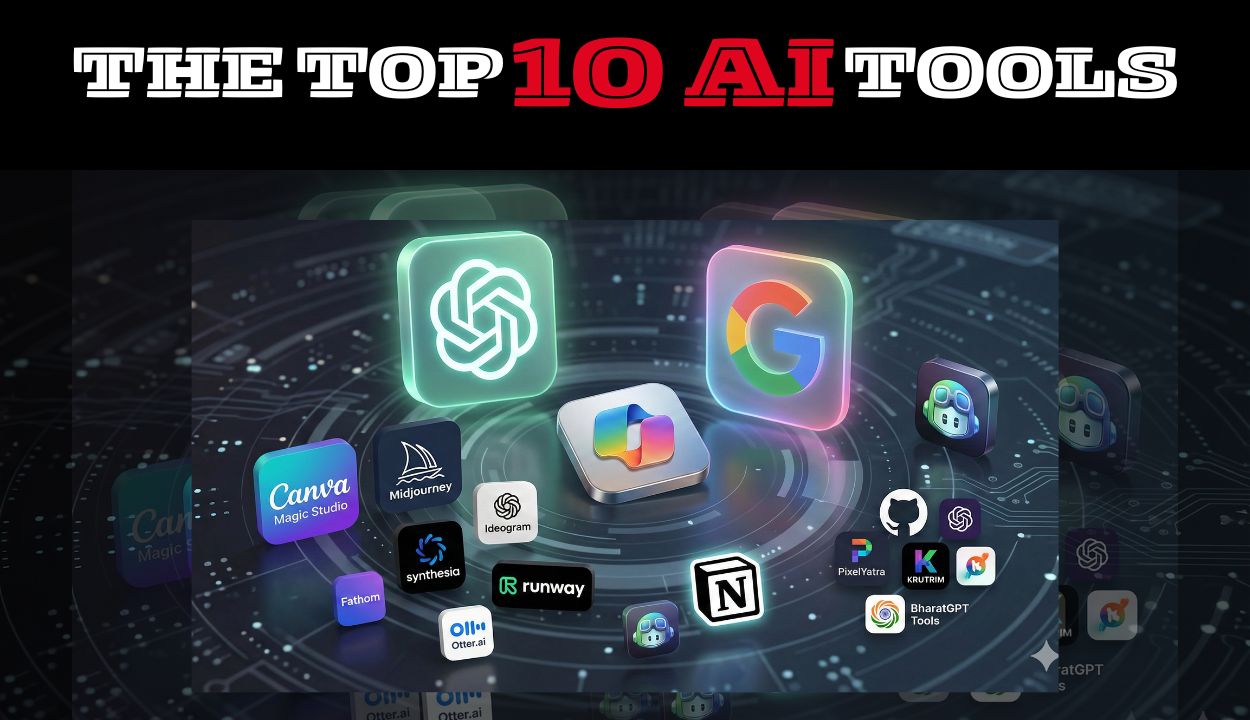
Artificial intelligence is now a part of everyday work, creativity, and problem-solving. As we step into 2025, AI tools are becoming more smarter, faster, and more accessible, helping everyone from students to entrepreneurs get more work done in less time. Whether you want to write a good content, automate your tasks, create visuals, or organize your ideas, the right AI tool can completely transform your workflow and in very less time.
But with hundreds of AI tools popping up every month, choosing the best ones for your use case is tough enough. That’s exactly why this guide exists. I’ve explored, compared, and tested the latest AI tools shaping 2025, so you can go ahead choosing your AI as per your requirements in one go.
In this article, you’ll discover the Top 10 AI Tools You Should Use in 2025, each chosen for its usefulness, innovation, and ability to make your digital life easier.
Quick snapshot — Top 10 AI Tools
| TOP 10 AI TOOLS | USE CASES |
|---|---|
| 1. ChatGPT (OpenAI) | Everyday assistant & ideation |
| 2. Google Gemini | Research and workspace integration |
| 3. Microsoft Copilot | Productivity inside Microsoft apps |
| 4. Canva Magic Studio | Design & social creatives, super beginner-friendly |
| 5. Midjourney / Ideogram | Image generation for visuals & thumbnails |
| 6. Synthesia / Runway | Easy AI video creation for short explainer videos |
| 7. Fathom / Otter.ai | Meeting transcription & note-summarization |
| 8. Notion AI | Partner for faster ideas, writing, and workflow clarity |
| 9. GitHub Copilot | Coding help for beginners |
| 10. Indian AI Tools (PixelYatra, Krutrim, BharatGPT Tools) | India’s intelligent visual guide through India’s digital journeys, AI power built for scale, speed, and sovereignty and an AI voice for every language, culture, and story across India respectively. |
These 10 tools step in like a starter toolkit, each one solving a piece of that early chaos-writing blog drafts, struggling to make a decent thumbnail, spending hours editing a short video, or scrambling to take meeting notes and even learning how different AI models works.
Now, let’s break them down one by one and understand each one of them in details:
YUVA AI for ALL : India’s newest Free National AI Course launched.. Click Here
1. ChatGPT (OpenAI)
Today, ChatGPT is one of the most powerful and adaptable AI tools. It’s simple, powerful, and can help you with almost anything. It is perfect for writers, students, marketers, entrepreneurs, teachers, or anyone who wants a daily AI assistant.
| Core Features | 1. Content writing & rewriting 2. Reasoning and problem-solving 3. Explain concepts 4. Coding assistance 5. Can summarize files 6. Write emails 7. Idea generation 8. Plan strategies 9. Data formatting 10. Support decision-making |
| Implementation and Use cases | 1. Blog writing & SEO content 2. Business plans & proposals 3. Academic explanations 4. Coding logic & debugging 5. Marketing scripts, captions & ads 6. Customer support templates |
| Benefits and Drawbacks | Pros 1. Extremely versatile 2. User-friendly 3. Fast results 4. Great for content creation, planning & coding 5. Supports many Indian languages 6. Works for almost every field may it be business, academics, creative work, research etc. Cons 1. Can produce outdated data 2. Sometimes gives overly confident answers How to Fix / What to Do 1. Always cross-check facts and ask to give sources for its answers 2. For accuracy, pair ChatGPT with Google Gemini |
| Pricing | 1. Free plan available 2. Paid plans start approx 1,900 INR to 2,500 INR per month (India pricing varies) |
2. Google Gemini
It is one of the top 10 AI Tools and is a Powerful search-like assistant that integrates with Google apps and recent web data. It integrates naturally with Gmail, Docs, and Chrome and excels at fact-checking, real-time answers, academic queries, and generating formatted content.
| Core Features | 1. Superior search accuracy 2. Document drafting & formatting 3. Live data-backed explanations 4. Real-time facts 5. Image interpretation 6. Supports multiple Indian languages 7. Great for reports, presentations, and formatted content |
| Implementation and Use cases | 1. Research-based writing 2. Corporate documentation 3. Presentation content 4. Academic assignments 5. Market analysis |
| Benefits and Drawbacks | Pros 1. Great accuracy due to Google search integration 2. Strong with research, analysis & factual data 3. Works flawlessly inside Google Workspace 4. Good summarization quality 5. Supports Indian languages Cons 1. Creative writing is weaker compared to ChatGPT 2. Sometimes too “formal” in tone How to Fix / What to Do 1. Use Gemini for research + ChatGPT for rewriting 2. Ask to rewrite this in a casual/human tone” |
| Pricing | 1. Free version available 2. Paid features with Google One plans (650 INR to 900 INR /month) |
3. Microsoft Copilot
Microsoft Copilot is one of the top 10 AI Tools and is built directly into Word, Excel, PowerPoint, and Outlook. It is ideal for professionals, managers, HR teams, corporate employees, and entrepreneurs as it automate corporate tasks.
| Core Features | 1. PPT creation from text 2. Excel data analysis 3. Email drafting 4. Helps generate meeting summaries and action points 5. Writes reports, proposals, and emails 6. Perfect for hybrid and remote workflows |
| Implementation and Use cases | 1. Corporate communication 2. Financial analysis 3. HR documentation 4. Project reports 5. Productivity workflows 6. Meeting workflows |
| Benefits and Drawbacks | Pros 1. Generates emails, reports & presentations 2. Works inside Microsoft apps 3. Analyzes Excel sheets without formulas 4. Meeting notes & summaries are extremely accurate Cons 1. Works best only with Microsoft ecosystem 2. Requires proper prompts to get the right structure How to Fix / What to Do 1. Combine Copilot + ChatGPT for refine/rewrite 2. Use templates or preset prompts |
| Pricing | 1. Included with certain Microsoft 365 plans 2. Business plans start from approx. ₹1,800+/month |
4. Canva Magic Studio
Canva Magic Studio is one of the top 10 AI Tools and offers AI-powered design tools for creating visuals, videos, social media posts, and presentations. It is perfect for creators, businesses, teachers, freelancers, and marketers because its AI tools let you create posters, ad creatives, Instagram Reels, YouTube thumbnails, presentations, and business branding assets with ease.
| Core Features | 1. Magic Write, Magic Design, Magic Video tools 2. AI image & video generation 3. Over 10,000 ready templates for posts, logos, ads 4. Brand kits 5. AI writer 6. AI text-to-design, text-to-video, image enhancement 7. Localized templates for Indian festivals, events, and businesses |
| Implementation and Use cases | 1. Social media content 2. Marketing creatives 3. Brand identity & logos 4. Posters, pamphlets, brochures 5. Business presentations 6. Event visuals and advertisements 7. Educational materials |
| Benefits and Drawbacks | Pros 1. Beginner-friendly 2. Magic Write, Magic Design, Magic Video tools 3. Massive library of Indian festival templates 4. Perfect for social media, business branding & presentations Cons 1. Some templates look repetitive and limited originality 2. AI visuals sometimes require manual touch-ups How to Fix / What to Do 1. Customize colours, fonts, and layout. 2. Combine Canva with Midjourney for premium visuals |
| Pricing | 1. Free version available 2. Pro plan: Nearly ₹3,000/year (very affordable) |
5. Midjourney / Ideogram
Midjourney is one of the top 10 AI Tools and it produces stunning, artistic visuals, while Ideogram is excellent for text-accurate image generation. Mainly they are used by designers, YouTubers, digital marketers, and branding agencies.
| Core Features | 1. Photorealistic images 2. Branding visuals 3. Advertisements, Posters & thumbnails 4. Great for creative campaigns |
| Implementation and Use cases | 1. YouTube thumbnails 2. Marketing campaigns 3. Brand design concepts 4. Character design 5. Product designs and mock-ups 6. Digital art |
| Benefits and Drawbacks | Pros 1. High-quality, artistic images 2. Perfect for thumbnails, ads & illustrations 3. Ideogram handles text inside images extremely well 4. Great for creative campaigns Cons 1. Requires practice to write good prompts 2. Midjourney works on Discord (not ideal for everyone) How to Fix / What to Do 1. Start with simple prompts 2. Save prompt templates 3. Use YouTube tutorials to improve prompt skills 4. Use Ideogram for text visuals |
| Pricing | 1. Midjourney starts at $10/month 2. Ideogram has free + pro tiers |
6. Synthesia / Runway
In today’s life video creation has evolved dramatically using AI. Runway is one of the top 10 AI Tools and offers advanced video editing, AI motion graphics, background removal, and video-to-video transformations. While Synthesia creates avatar-based videos without cameras. It is best for educators, trainers, YouTubers, and businesses.
| Core Features | 1. AI video generation 2. Video editing 3. Avatar-based narration 4. Background removal 5. Motion graphics |
| Implementation and Use cases | 1. Training videos 2. Explainer content 3. Advertisementss 4. Faceless videos 5. Corporate presentations |
| Benefits and Drawbacks | Pros 1. No need for a camera or studio setup 2. Works for training videos, brand videos, tutorials 3. Saves huge production cost and time 4. Runway generates cinematic AI clips Cons 1. AI avatars may look robotic sometimes 2. Render times can vary How to Fix / What to Do 1. Use natural-sounding voice models 2. Add real human elements using Canva/CapCut 3. Keep videos short for better output quality |
| Pricing | 1. Runway: $12+/month 2. Synthesia: $30+/month |
7. Fathom / Otter.ai
These tools automatically record, transcribe, and summarize virtual meetings. These are one of the top 10 AI tools and are very useful for students, remote workers, managers, and freelancers.
| Core Features | 1. Record meetings automatically 2. Generate transcripts 3. Create bullet-point summaries 4. Highlights key decisions |
| Implementation and Use cases | 1. Corporate meetings (for example Zoom/Teams) 2. Interviews 3. Lecture notes 4. Brainstorming sessions 5. Client calls |
| Benefits and Drawbacks | Pros 1. Clear transcription 2. Automatic summaries 3. Integrates with Zoom & Google Meet 4. Great for online classes and remote teams 5. Saves time Cons 1. Occasional struggle with accent misinterpretation 2. Requires good internet and audio quality How to Fix / What to Do 1. Use a good microphone or headphones 2. Manually edit important sections |
| Pricing | 1. Free plan available 2. Pro plan approx. $10–$16/month |
8. Notion AI
Notion AI is one of the top 10 AI Tools and enhances productivity by automating writing, planning, organizing, and project management. Best for busy professionals, teams, students, and freelancers.
| Core Features | 1. AI writing 2. Task management 3. Rewrite or expand content 4. Build wiki 5. Prepare Project workflows 6. Document summarizer |
| Implementation and Use cases | 1. Personal productivity & knowledge systems 2. Team project management 3. Client tracking 4. Brainstorming 5. Content planning 6. Note-taking 7. Research |
| Benefits and Drawbacks | Pros 1. All-in-one solution: notes, tasks, writing, planning 2. Powerful AI summarization Replaces multiple apps 3. Excellent for teams and personal productivity 4. Flexible Cons 1. Can feel complex at first 2. Requires setup for full benefit How to Fix / What to Do 1. Use pre-made templates 2. Start with just 2 pages: “Tasks List” and “Notes” 3. Add AI features gradually |
| Pricing | 1. Free plan available 2. AI add-on: approx. $8–$10/month |
9. GitHub Copilot
If you’re learning programming, you absolutely need GitHub Copilot, one of the top 10 AI tools. It suggests code, fixes errors, and even explains what the code means. It is ideal for programmers, CS students, developers, and tech teams.
| Core Features | 1. Code autocompletion 2. Debugging help 3. Code explanations 4. Script generation 5. Supports almost all major languages |
| Implementation and Use cases | 1. App development 2. Web development 3. Automation scripts 4. Debugging 5. Learning new programming languages |
| Benefits and Drawbacks | Pros 1. Speed up development 2. Helps write clean, accurate code 3. Explains code line-by-line 4. Boosts productivity for developers 5. Ideal for software projects, automation & scripts Cons 1. May produce insecure or inefficient code 2. Not always perfect for advanced and complex logic How to Fix / What to Do 1. Always review the generated code 2. Use stack overflow + documentation for verification 3. Pair with ChatGPT for debugging |
| Pricing | Approx. $10/month for individuals |
10. Indian AI Tools (PixelYatra, Krutrim, BharatGPT Tools)
These AI are one of the top 10 AI Tools and are built specifically for Indian languages, accents, and cultural needs. These are perfect for regional creators, Indian businesses, and vernacular content.
PixelYatra
- Hindi-first image generation
- Great for local businesses and regional creators
Krutrim AI Tools
- Supports multiple Indian languages
- Strong conversational abilities
BharatGPT Tools
- India-trained models
- Created for Indian accents, data, and cultural context
| Core Features | 1. Hindi/regional language support 2. AI chat 3. Prompt-based design 4. Document translation |
| Implementation and Use cases | 1. Regional business communication 2. Indian-language content creation 3. Local marketing 4. Customer support |
| Benefits and Drawbacks | Pros 1. Strong support for Indian languages 2. Great for regional content 3. Hindi-first and culturally adapted 4. Affordable pricing for Indian users Cons 1. Not as advanced as global tools yet 2. Limited features in early versions and still developing How to Fix / What to Do 1. Use them for regional tasks 2. Combine them with global tools for advanced work 3. Use alongside ChatGPT or Gemini for best results. |
| Pricing | 1. Mostly affordable/free tiers 2. Premium features vary |
Conclusion (Top 10 AI Tools)
As we move deeper into 2025, one thing is clear: The world of AI will continue to evolve, but starting with the right tools/ top 10 AI tools today puts you far ahead of the curve. No matter your skill level, there’s always an AI tool out there that can make your life easier.
Try a few, experiment with what fits your style, they aren’t just impressive; they’re genuinely useful, helping you save time, stay organized, and bring more creativity into your daily tasks.
Read More : Click Here